
Essential Plugins for a Fast, High-Converting WooCommerce Store


A fast store and a high-converting store are both essential to maximizing your ecommerce sales. The WordPress plugins below cover both, from page speed to the moment a shopper clicks “Buy”.
Speed is where conversions begin. A study by Portent found that a site loading in one second converts about three times higher than one that takes five seconds. Every plugin you add either protects that speed or puts it at risk, so the goal is a lean toolkit where each plugin has a positive impact without adding load to your site.
When people think about speeding up their ecommerce store, they normally only consider performance. However, that’s only half the story. While performance is essential for both marketing and user experience, the speed of the customer journey is equally important. However fast your site loads, it won’t maximise its potential until you’ve also optimized the customer journey for speed. It’s also important to add trust to the equation because customers won’t convert unless they trust you.
Here are the eight plugins we’d install on a WooCommerce store built for speed, conversions, and trust:
- FastPixel – caching and performance, so pages load fast.
- WooCommerce Product Filters – helps shoppers find the right product quickly.
- ShortPixel – image compression, the single biggest speed win for most stores.
- Customer Reviews for WooCommerce – builds buyer trust before checkout.
- NotificationX – live social proof and “people also bought” prompts.
- Popup Maker – targeted offers and email capture.
- WooCommerce Fast Cart – a quick popup checkout with no extra pages to click through.
- Checkout Field Editor – trims the checkout form down to the essentials.
You won’t need them all – for example, you’d probably want to choose between Customer Reviews for WooCommerce and NotificationX. Read about each one and mix and match to create the ideal combination for your store.
Quick Verdict
- Best for raw speed: FastPixel, with ShortPixel Image Optimizer handling images.
- Best for product discovery: WooCommerce Product Filters.
- Best for a faster checkout: WooCommerce Fast Cart.
- Best for social proof: NotificationX.
How We Chose These
We looked for plugins that move one of two numbers: how fast your store feels, or how many visitors finish a purchase. A few things mattered to us when picking them.
- A real, measurable effect on speed or conversions, not a vanity feature.
- A light footprint, so the plugin doesn’t undo the speed gains you’re chasing.
- A track record: active development, responsive support and a healthy review history.
- Sensible pricing, with a free version or trial wherever possible.
We’ve included our own plugins, FastPixel and ShortPixel, because performance is the foundation everything else sits on. We’ve also been open about where each plugin fits best and where it doesn’t.
1. FastPixel – Speed Without the Server Load
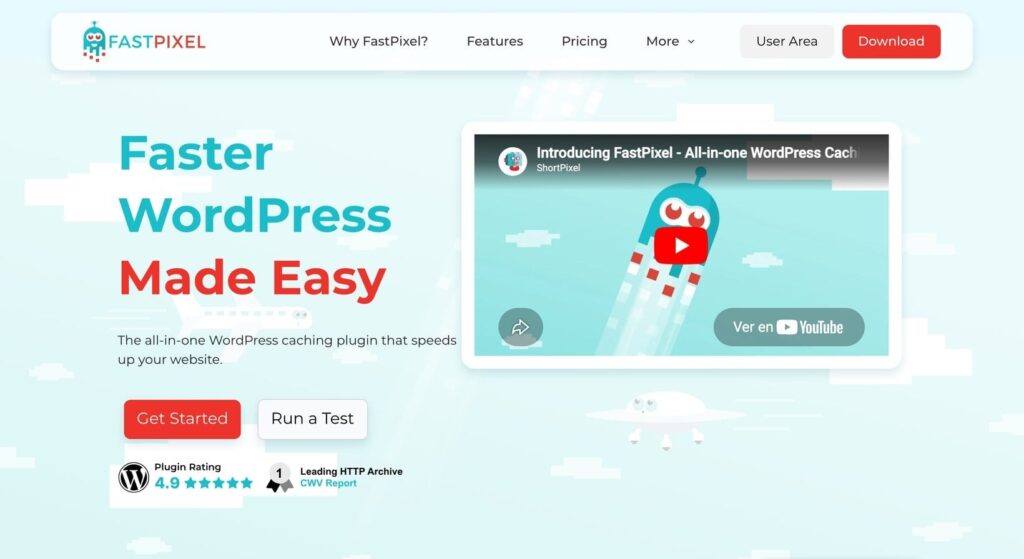
Properly configured caching is essential for WooCommerce stores, yet a lot of stores get it wrong and end up breaking important features or showing the wrong information to the wrong customers. We built FastPixel to fix that. Instead of running heavy optimization on your own server, FastPixel does the work in the cloud and serves a pre-optimized version of each page.
That means page caching, CSS and JavaScript optimization, adaptive image delivery and database cleanup, all from one lightweight plugin. Because the processing happens off your server, it doesn’t slow down the site it’s meant to speed up.
Best for: Store owners who want strong Core Web Vitals without learning the internals of caching.
Pros
- Cloud-based optimization keeps the load off your hosting.
- One plugin covers caching, CSS/JS and image delivery.
- Setup is close to one-click, with sensible defaults.
Worth knowing: FastPixel runs as a connected service rather than a fully self-hosted plugin, so it suits stores that are happy to optimize through the cloud. You can try it free and see your scores before committing.
2. WooCommerce Product Filters – Help Shoppers Find Products Fast
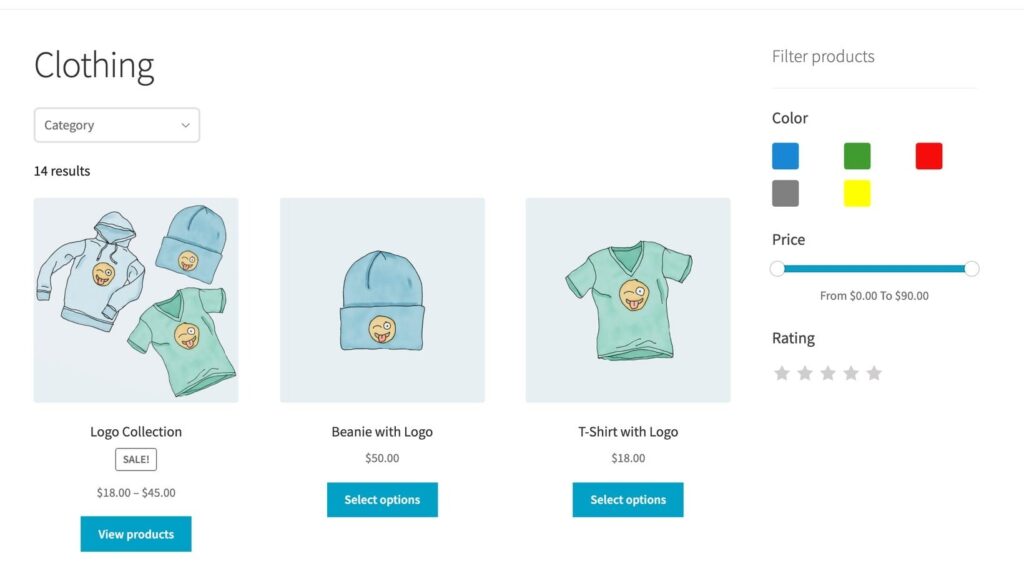
A shopper who can’t find the right product will quickly give up and leave. On a store with more than a handful of products, the default WooCommerce shop and category pages make people scroll endlessly, and that scrolling is where you lose sales. While WooCommerce does provide product filters, they’re very basic and don’t effectively help customers to find what they want.
WooCommerce Product Filters is a professional-grade filtering plugin which lets customers narrow a large catalog by price, attributes, categories, ratings, and more. The results update instantly as they click, with no page reload, so finding the right item feels quick. You can use color swatches, sliders and checkboxes instead of plain dropdowns, which makes the filters easier to scan.
Best for: Stores with large or varied catalogs where browsing is the bottleneck.
Pros
- Eleven filter types, including swatches, sliders and star ratings.
- AJAX filtering with no page reloads.
- A custom index keeps it fast even on big catalogs.
Worth knowing: It’s a premium plugin, with no free version on WordPress.org.
3. ShortPixel – Compress Images, Win Back Seconds
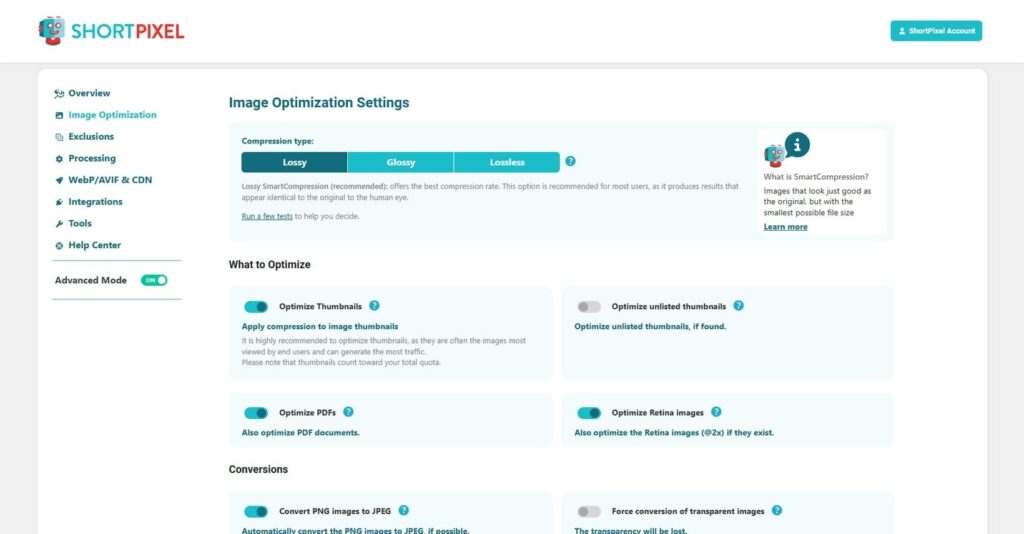
Images are usually the heaviest thing on a product page, and unoptimized photos are the most common reason so many WooCommerce stores feel sluggish. ShortPixel compresses them automatically and converts them to modern formats like WebP and AVIF, which are far smaller than the originals.
It’s the sister plugin to FastPixel and the two work well side by side. FastPixel handles caching and delivery; ShortPixel makes sure the images flowing through are as small as they can be without looking worse.
Best for: Any store with a large product catalog or photography-heavy pages.
Pros
- Automatic compression and WebP/AVIF conversion.
- Bulk-optimizes a back catalog of thousands of images.
- Keeps a backup of originals so you can restore them.
Worth knowing: The free plan includes a monthly image credit, which is plenty for smaller stores. High-volume catalogs will want a paid plan to cover the full library.
4. Customer Reviews for WooCommerce – Trust Before the Click
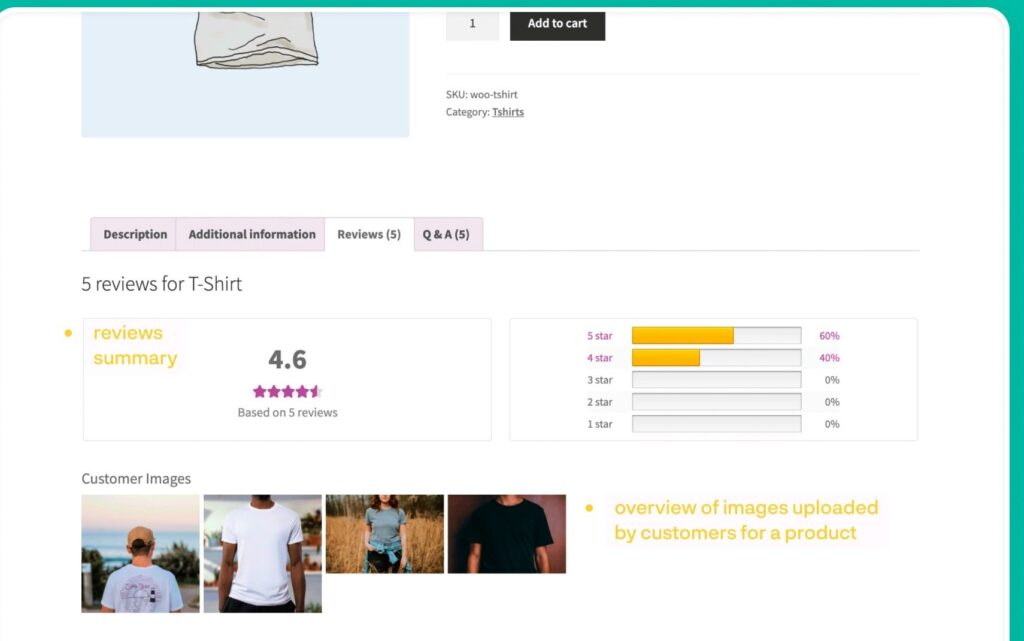
Most shoppers read reviews before they buy, and a product page with no social proof feels risky. Customer Reviews for WooCommerce (CusRev) improves on the built-in review system and, more importantly, helps you collect more reviews in the first place.
It sends automated review-request emails after a purchase, supports photo and video reviews, and can feed your ratings into Google so star ratings appear in search results. More genuine reviews on the page means more confidence at the point of decision.
Best for: Stores that don’t yet have many reviews and want a steady, automated way to gather them.
Pros
- Automated, customizable review-reminder emails.
- Photo and video reviews for richer social proof.
- Google Shopping and rich-snippet integration.
- A capable free version.
Worth knowing
- Email design and some integrations are reserved for the paid plan.
- Getting the reminder timing right takes a little testing.
5. NotificationX – Social Proof That Does the Selling
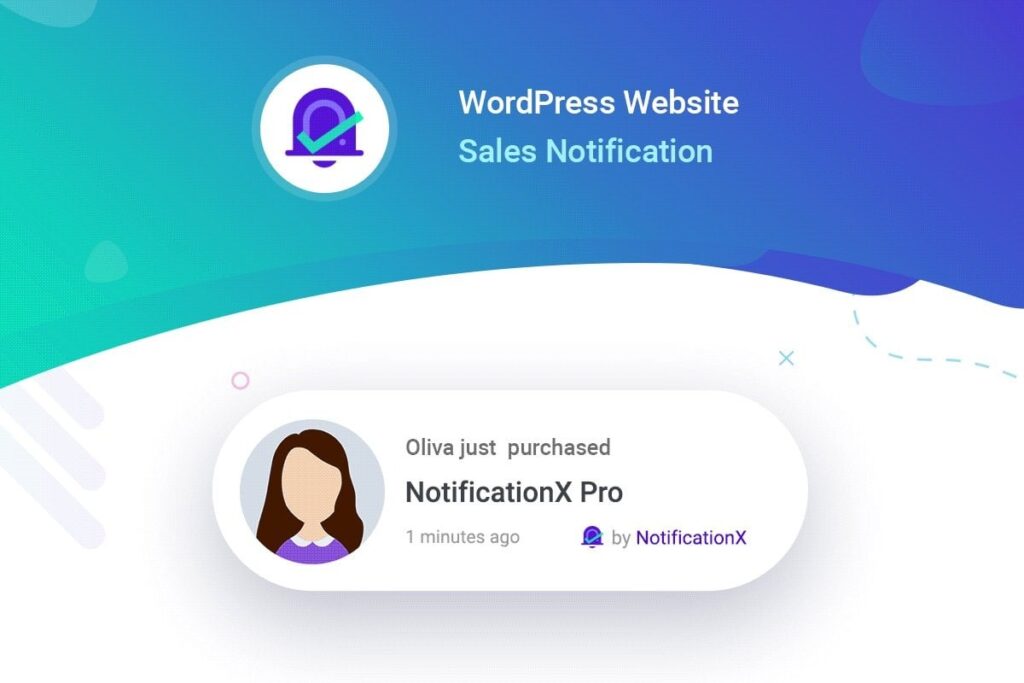
When a visitor sees that other people are buying, they’re more comfortable buying too. NotificationX shows small, real-time notifications of recent sales, reviews and sign-ups, which builds that sense of activity on a quiet-looking store.
It’s more flexible than most social-proof tools. You can pull in real WooCommerce sales data, show review counts, or run “people also bought” style prompts, all without writing code. Used sparingly, it nudges a hesitant shopper over the line.
Best for: stores with steady sales that want to make that activity visible.
Pros
- Pulls from real WooCommerce sales and review data.
- Plenty of notification types, from sales to countdown bars.
- Made by WPDeveloper, with a large user base and active updates.
Worth knowing
- Too many notifications can annoy shoppers, so it pays to keep them subtle.
- Some notification types and integrations need the Pro version.
6. Popup Maker – Targeted Offers at the Right Moment
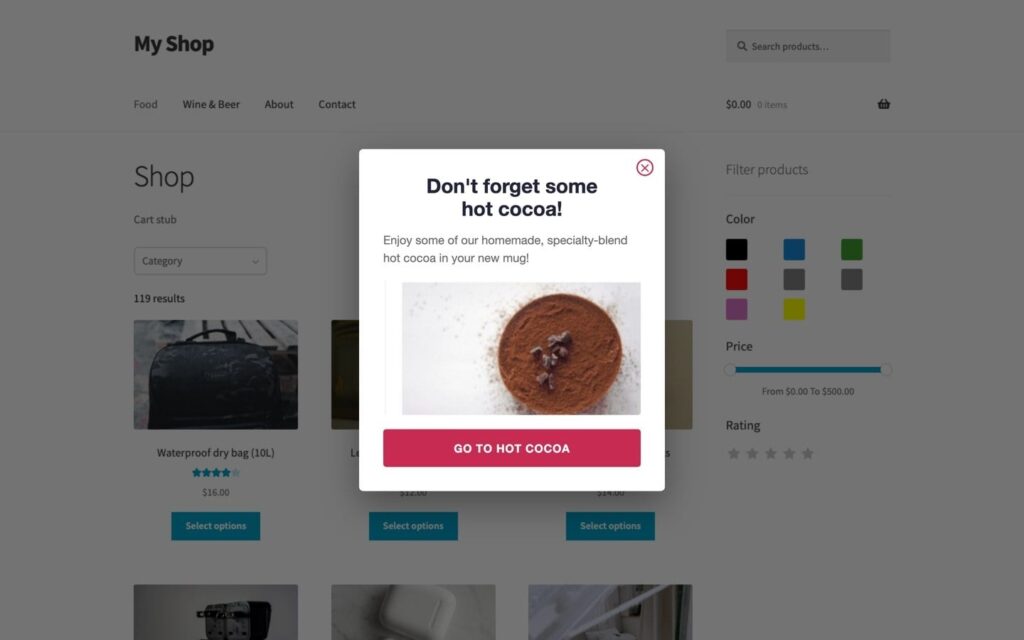
A well-timed popup can recover a leaving visitor or grow your email list, and a badly-timed one just irritates people. Popup Maker gives you the control to get this right, with targeting by page, scroll depth and (on the paid tiers) exit intent.
You can use it for a first-order discount, a newsletter sign-up, or a free-shipping reminder when the cart hits a threshold. It works with the major form plugins, so the popup itself can capture the lead or run the offer.
Best for: Stores running promotions or building an email list for repeat sales.
Pros
- Precise targeting and trigger rules.
- Works with WPForms, Gravity Forms, Contact Form 7 and more.
- A generous free version and 700,000+ active installs.
Worth knowing
- Exit-intent and conversion analytics sit behind the paid plans.
- The popup builder can feel fiddly the first time you use it.
7. WooCommerce Fast Cart – Checkout Without the Detours
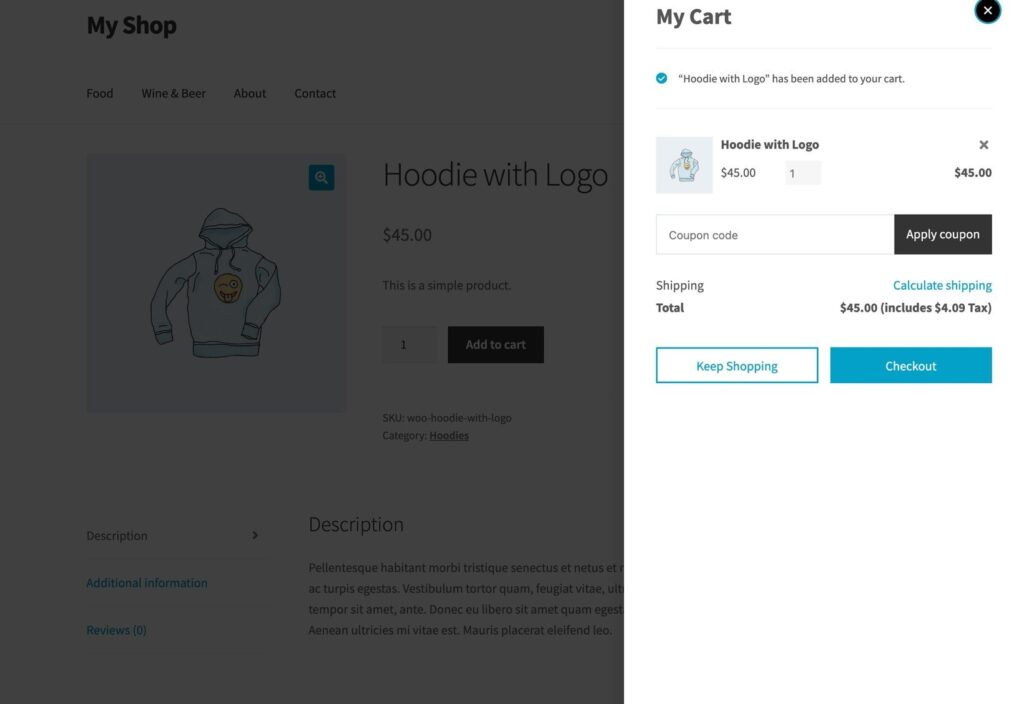
Every extra page between “Add to Cart” and “Order Complete” is a chance for the shopper to drop out. The Baymard Institute puts the average cart abandonment rate at around 70%, and a clunky multi-page checkout is a big part of that.
WooCommerce Fast Cart replaces the usual cart-then-checkout journey with a popup or slide-in cart that lets customers complete the order on the same page. There’s a popup cart, a side cart, on-page checkout with Google address autocomplete, and a skip-cart option that takes shoppers straight to payment. It loads asynchronously, so it adds the convenience without dragging your page speed down.
Best for: Stores where shoppers buy one or two items quickly and a full checkout page feels like overkill.
Pros
- Popup, side cart and skip-cart/direct checkout options to suit your store.
- On-page checkout with address autocomplete.
- Built to load asynchronously so it doesn’t hurt speed.
Worth knowing
- It’s a premium plugin with no free version.
- A popup checkout suits quick purchases more than long, multi-item orders.
8. Checkout Field Editor – Fewer Fields, More Orders
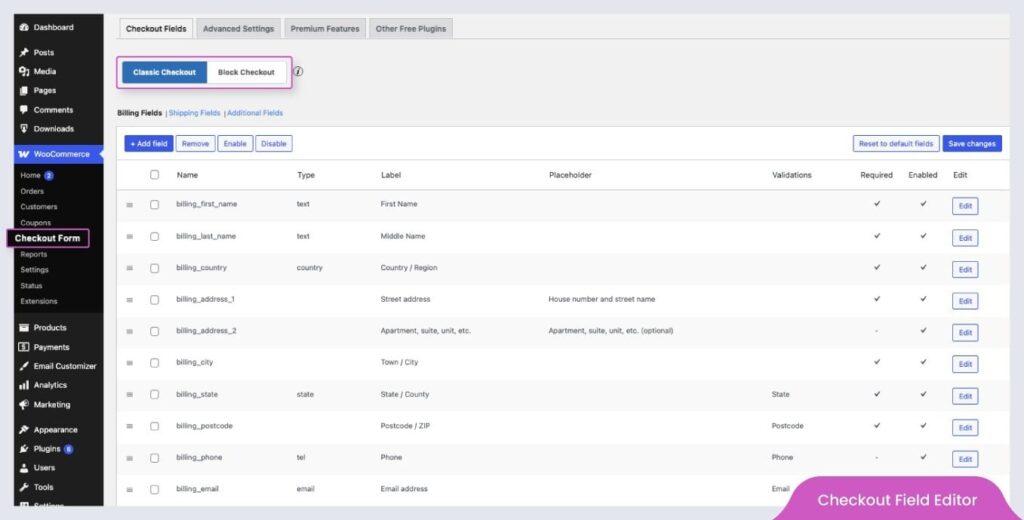
The default WooCommerce checkout asks for more than most stores need. Every extra field is a small reason to give up, especially on mobile. Checkout Field Editor by ThemeHigh lets you add, remove, reorder and rename checkout fields without touching code.
Strip the form back to the essentials, hide the fields you never use, and the checkout gets shorter and faster to complete. Because it edits the standard WooCommerce checkout, it works alongside WooCommerce Fast Cart too: the trimmed-down fields carry through into the Fast Cart popup checkout, so your quick checkout stays quick.
Best for: Any store whose checkout asks for more than it needs.
Pros
- Add, edit, remove and reorder fields with no code.
- Seventeen field types and conditional logic in the Pro version.
- Over 200,000 active installs and a free version to start with.
Worth knowing
- The interface packs in a lot of options and takes a moment to learn.
- The most useful conditional rules are a paid feature.
Which Plugins Should You Choose?
You don’t need all eight on day one. Here’s how we’d prioritize, depending on where your store is losing people.
- If your store feels slow, start with FastPixel and ShortPixel. Fix speed first, because every other improvement builds on it.
- If shoppers can’t find products, add WooCommerce Product Filters so browsing turns into buying.
- If people add to cart but don’t finish, install WooCommerce Fast Cart and trim the form with Checkout Field Editor.
- If your store looks quiet or untrusted, use Customer Reviews for WooCommerce and NotificationX to show real activity.
- If you want more repeat sales, Popup Maker helps you capture emails and run offers.
Final Thoughts
A high-converting store isn’t built from one big change. It’s a fast foundation, a catalog that’s easy to search, enough trust to feel safe buying from, and a checkout that gets out of the way.
If you only do one thing this week, make it speed. Run a test, see where your store stands, and let FastPixel and ShortPixel handle the heavy lifting.
Then work down the list as you spot where shoppers are dropping off. You don’t have to fix everything at once, you just have to start. Every step will contribute towards improving your conversion rates and growing your stores’ sales.



 English
  French